
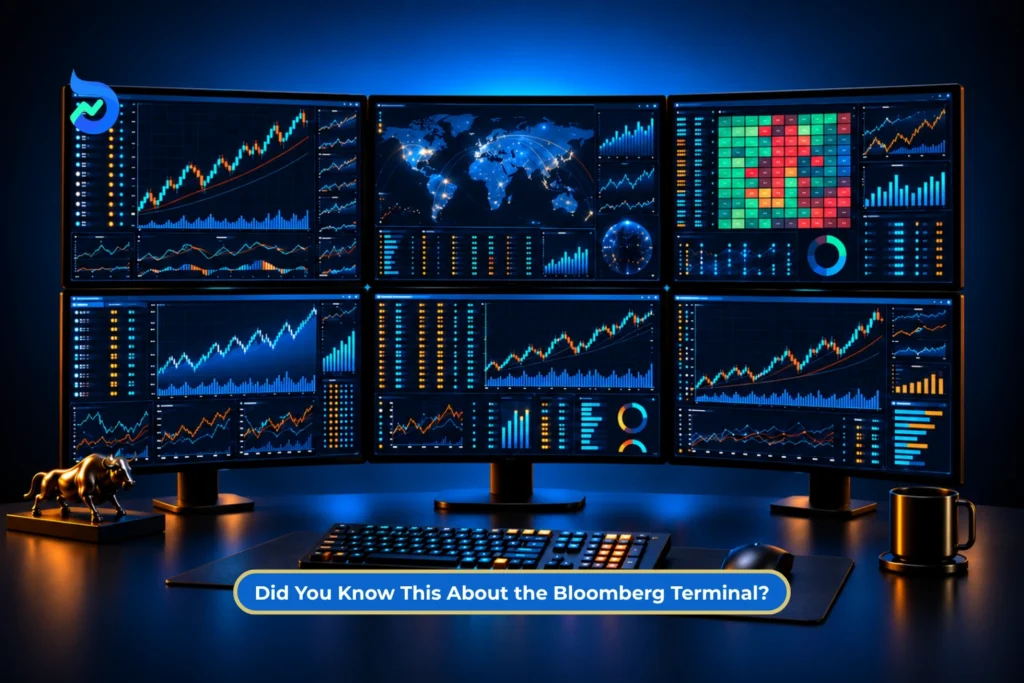
The first thing you notice when you open a Bloomberg Terminal is how different it looks from the market platforms most people are familiar with.
The screen is filled with numbers, charts and short commands like DES, GP, FA and IB. Even the keyboard has specially coloured keys for different functions.
At first, it can look complicated. But the basic idea is actually quite simple.
Bloomberg Terminal is a professional financial information system that brings market data, company information, news, research, analytics, communication and trading-related tools together in one place.
Bloomberg says its Terminal network connects more than 350,000 financial professionals and decision-makers worldwide, and the system has been in use for more than four decades.
So, what does Bloomberg Terminal actually do, and how do people use it?
Let’s break it down.
What Is Bloomberg Terminal?
Bloomberg Terminal is a professional financial information platform developed by Bloomberg. It gives users access to market data, company information, financial news, research, analytics, charts, communication tools and trading-related workflows in one place.
It is mainly used by financial professionals such as traders, analysts, portfolio managers, banks, asset managers and corporate treasury teams.
Are There Different Types of Bloomberg Terminal?
Bloomberg does not have separate types of Terminal for different markets in the usual sense. Users access the same Bloomberg ecosystem, although the data, functions and permissions available can vary depending on their subscription and organisation.
Bloomberg also offers Bloomberg Anywhere, which allows eligible subscribers to access their Bloomberg Terminal remotely rather than only from a dedicated workstation.
History of Bloomberg Terminal
The Bloomberg Terminal dates back to 1981, when Michael Bloomberg and his co-founders started building a computer-based financial information system for market professionals.

Image Source: Bloomberg.com
That system gradually developed into the Bloomberg Terminal used today. Over the decades, Bloomberg expanded it beyond market prices to include news, company data, analytics, research, communication and trading-related tools.
The Bloomberg Terminal brings information from multiple areas of the financial markets into a single system:
| Area | What It Covers |
| Equities | Listed companies, share prices, financial data and market activity |
| Fixed Income | Government and corporate bonds, yields and related debt-market data |
| Foreign Exchange | Currency prices, exchange rates and FX market data |
| Commodities | Energy, metals, agricultural commodities and related market information |
| Derivatives | Futures, options and other derivative instruments |
| Indices | Major global and regional market indices |
| Economic Data | Inflation, interest rates, GDP, employment and other macroeconomic indicators |
| Company Fundamentals | Financial statements, earnings, estimates and company-level information |
| News | Financial, economic, corporate and market news |
| Research | Analyst research, estimates and market intelligence |
| Charts and Analytics | Historical charts, comparisons, valuation tools and financial analysis |
The Major Milestones
- 1981, The Genesis: Michael Bloomberg leaves Salomon Brothers with a $10 million buyout and founds the company to build a real-time financial data system.
- 1982, First Customer: Merrill Lynch orders the first 22 units (then called the Market Master) and buys a 30% equity stake for $30 million, providing the vital early funding.
- 1983, Custom Keyboard: The iconic, custom-built physical keyboard is introduced to make financial data accessible to traders without computer programming skills.
- 1992, Instant Bloomberg (IB): The company launches Bloomberg Message. This evolves into the legendary “IB” chat ecosystem, creating an exclusive, indispensable social network for Wall Street.
- 1996, The Dual-Screen Look: Bloomberg introduces and patents its signature dual-monitor setup, which becomes the defining aesthetic of global trading floors.
- 2004, Bloomberg Anywhere: The platform breaks free from office desktops with the launch of remote access, secured by the B-Unit biometric fingerprint scanner.
- 2008, Total Control: Bloomberg LP buys back Merrill Lynch’s original stake for $4.43 billion, solidifying Michael Bloomberg’s near-total financial control.
- 2012, Market Dominance: Bloomberg officially surpasses Thomson Reuters in revenue, claiming the crown as the world’s largest financial data provider.
Are Bloomberg terminal and Bloomberg.com same?
No, Bloomberg Terminal should not be confused with Bloomberg.com.
Bloomberg.com primarily serves Bloomberg’s broader news and media audience. Bloomberg Professional Services, including the Terminal, is designed for professional users such as traders, analysts, portfolio managers, corporate treasurers, technologists and compliance professionals.
A Terminal subscription is also not the same as opening a brokerage account. Bloomberg provides information, analytics and professional trading infrastructure, but trade execution depends on the user’s institutional setup, brokers, permissions and connectivity.
Video Source: Bloomberg YouTube Channel
Suggested Read: World’s Most Expensive Trading Terminals: From a Rs. 26 Lakh Bloomberg Terminal to an 8-Monitor Home Rig
What Does Bloomberg Terminal Offer?
The reason Bloomberg Terminal can initially look overwhelming is that several financial tools are packed into the same system.
1. Market Data
Bloomberg provides coverage across asset classes such as equities, fixed income, currencies, commodities and derivatives.
Users can study current and historical prices, yields, company information, economic data and other market statistics without moving between several separate platforms.
2. Company and Security Information
A company page can provide access to information such as:
- Company description
- Financial statements
- Historical prices
- Earnings information
- Management details
- Analyst estimates and recommendations
- Peer comparisons
- Company news
The information available depends on the security and the user’s data permissions.
3. Bloomberg News
News is a major part of the Bloomberg Terminal. Instead of treating news as a separate feed, Bloomberg connects it with market data, companies, securities, charts and other Terminal tools. This makes it easier to see relevant developments alongside the financial information being analysed.
According to Bloomberg, its news operation currently includes:
- 2,700 journalists
- 146 global bureaus
- Coverage in 40+ languages
- More than 5,000 stories published each day
- Content from 1,000+ external news providers
Bloomberg also says the Terminal carries content from more than 90,000 online and social sources, in addition to Bloomberg News and external news providers.
Users can also customise news feeds, receive breaking-news alerts and use tools that track news volume, reader attention and sentiment around companies and topics.
Source: Bloomberg Professional Services, Bloomberg Terminal News
4. Charts and Analytics
Bloomberg Terminal goes beyond showing current market prices. Its charting tools let users study historical price movements, compare securities, add indicators and analyse data across different asset classes. Charts can also be customised, saved and exported for presentations.

A major feature is its integration with Microsoft Excel. Bloomberg’s Excel Add-In allows authorised users to pull Bloomberg data directly into spreadsheets.
Some commonly used functions include:
| Function | What It Does |
| BDP | Retrieves current or reference data |
| BDH | Retrieves historical data |
| BDS | Retrieves bulk datasets |
This allows users to work with Bloomberg data in Excel for tasks such as company comparison, financial modelling, historical analysis and portfolio-related calculations.
5. Communication: Instant Bloomberg
Bloomberg Terminal includes a built-in messaging service called Instant Bloomberg, or IB.
It allows Bloomberg users to communicate with other professionals directly inside the Terminal. Users can:
- Send messages
- Share files and market information
- Communicate with colleagues, clients and brokers
- Discuss market developments within the Bloomberg network
Bloomberg says its Terminal network connects more than 350,000 financial professionals and decision-makers worldwide.
This makes Bloomberg not only a source of financial data, but also a communication platform used across the financial industry.
6. Trading and Execution Tools
Bloomberg also provides tools used for placing, managing and tracking trades.
These tools can bring together:
- Market data
- Trade orders
- Broker connections
- Execution information
- Order tracking
- Portfolio and position data
For professional institutions, Bloomberg can therefore support both market analysis and parts of the trade-execution process within the same system.
However, access to a Bloomberg Terminal does not automatically give a user permission to trade.
Trading access depends on factors such as:
- Broker connections
- Market access
- User permissions
- The organisation’s trading setup
- The Bloomberg services included in the subscription
7. AI-Based Search: ASKB
Bloomberg Terminal has traditionally relied on short command codes such as DES, GP and FA.
Bloomberg is now also introducing ASKB, a natural-language search and analysis tool.
With ASKB, users can type questions in regular language instead of relying only on Bloomberg commands. The tool can work with information available across Bloomberg, including:
- Market data
- News
- Research
- Documents
- Financial analytics
ASKB does not replace the existing Bloomberg command system. It provides an additional way to search for information and use Bloomberg’s data, especially when the user does not know the exact command required.
Suggested Read: Elder’s Triple Screen System: The 3 Timeframe Check Before Every Trade
Why Does the Bloomberg Keyboard Look Different?
One of Bloomberg’s most recognisable features is its keyboard.
It is largely a regular computer keyboard, but certain coloured keys are designed specifically for Terminal navigation.
According to IIM Ahmedabad’s Bloomberg guide:
- Yellow keys represent market sectors
- Green keys perform actions
- Red keys handle cancel and log-off functions
Some of the most important keys are:
GO: GO behaves much like the Enter key.
After entering a security, search or function, pressing GO tells Bloomberg to run it.
MENU: MENU displays functions related to the screen or security currently being viewed.
This is particularly useful for beginners who do not remember Bloomberg’s command codes.
HELP: Pressing HELP once displays information about the function currently being used.
For additional assistance, Bloomberg says users can press the green Help key twice or type HELP HELP and press Enter to contact its 24/7 Terminal support desk.
The important point is simple: you do not need to memorise hundreds of codes before using Bloomberg. Menus, search and Help can all be used to find functions.
Yes, better to keep more comparison points, but make every cell much tighter.
Suggested Read: Can the 100-Year-Old Gann Square of 9 Really Map Nifty Levels With Surprising Accuracy?
How Does Bloomberg Get News So Fast?
Bloomberg’s speed does not come from one feature. It comes from combining a large global newsroom, real-time data infrastructure, short breaking-news formats and technology that can quickly connect information with the companies and markets it affects.
Broadly, the process works like this: information reaches Bloomberg, it is verified and processed, the key fact is published, and the Terminal delivers it to relevant users.
1. Bloomberg Has Reporters Positioned Close to the News
Bloomberg says its Terminal news operation is supported by:
- Around 2,700 journalists
- 146 global bureaus
- Coverage in 40+ languages
- More than 5,000 stories published each day
The Terminal also carries information from 1,000+ external news providers and monitors more than 90,000 online and social sources.
This matters because financial news can originate almost anywhere, from company earnings and central-bank decisions to government policy changes, mergers, commodity disruptions and economic data releases.
Bloomberg has specialised reporters and editors already covering many of these companies, institutions, industries and economies. They therefore do not necessarily begin researching an event only after it becomes news.
Suggested Read: How to Read a Pre Budget Rally in 2026: Sectors, Signals & Perfect Timing
2. Bloomberg Does Not Always Wait for a Full Article
A market-moving development does not always need a detailed article before users can understand what happened.
Bloomberg’s First Word service is designed to condense breaking developments into short bullet-point digests containing the most important information.
In practice, coverage may develop in stages:
- A breaking fact or headline appears.
- A short update adds the essential details.
- A fuller story provides context.
- Deeper analysis may follow later.
For example, if a central bank unexpectedly changes interest rates, the first update may communicate the rate decision and its size. Explanation of the policy statement, market reaction and economic implications can follow afterwards.
For financial markets, those first few facts can be highly time-sensitive.
3. Some Information Reaches Bloomberg as Data, Not Just News Stories
Bloomberg is also a major financial-data provider, which is important when understanding its speed.
Its Event-Driven Feeds are built to distribute real-time, machine-readable information including:
- Breaking news headlines
- Structured financial data
- Economic indicators
- News analytics
- Third-party and web information
Bloomberg says this information can also include metadata identifying relevant companies, topics and people.
Its wider data infrastructure operates at a very large scale. Bloomberg says its systems collect, normalise, analyse and redistribute around 400 billion market messages from exchanges, while its core data and analytics services handle roughly 450 billion data points each day.
This means Bloomberg is not relying only on journalists manually entering information into the Terminal. Large amounts of market and financial data are continuously flowing through its systems electronically.
4. Technology Helps Organise the Information
Speed would have limited value if users then had to search manually through thousands of stories and data points.
Bloomberg uses technologies including artificial intelligence, machine learning and natural-language processing to organise financial information.
Its systems can help identify elements such as:
- Companies
- People
- Organisations
- Stock tickers
- Topics mentioned in documents
This allows news and financial information to be connected with the company, security or market that it concerns.
5. The Terminal Pushes Relevant News to Users
The final advantage is distribution.
Terminal users can customise their news experience and set alerts for developments related to the companies, securities, markets or topics they follow.
The overall process can therefore be understood in six steps:
- An event occurs.
- A reporter, official source or data feed captures the information.
- Bloomberg verifies and processes it.
- The key fact appears as a headline or short update.
- The information is tagged to relevant companies, topics or securities.
- Terminal users receive the update, while fuller reporting and analysis can follow.
Why This Matters for Bloomberg Terminal Users
This is what makes Bloomberg Terminal news different from simply reading a financial-news website.
The Terminal combines news, live market data, company information, analytics and alerts in the same system.
When something important happens, a user can see the headline and then immediately examine the relevant security, price movement, historical data and related news without moving between several platforms.
So, the reason Bloomberg gets financial news out so quickly is not simply faster reporting. It has built an entire infrastructure around getting the important fact from its source to the relevant market participant with as little delay as possible.
Bloomberg Terminal vs TradingView
| Feature | TradingView | Bloomberg Terminal |
| Main purpose | Charting and market analysis | Complete professional financial workflow |
| Typical users | Retail traders and investors | Financial institutions and professionals |
| Market data | Broad global market coverage | Extensive multi-asset professional data |
| Charts | Core strength | One of many analytical tools |
| Technical indicators | 400+ built-in indicators | Professional charting and analytics |
| Custom indicators | Pine Script | BQuant and Bloomberg analytical tools |
| Fundamental data | Company financials and ratios | Detailed company and security data |
| Economic data | Available | Extensive macroeconomic datasets |
| News | Market news feeds | Bloomberg News plus third-party sources |
| Research | Limited compared with Bloomberg | Proprietary and third-party research |
| Screeners | Strong retail-focused screeners | Advanced security screening tools |
| Trade execution | Through supported brokers | Institutional execution infrastructure |
| Order management | Broker-dependent | Integrated order-management tools |
| Messaging | Public community and social features | Instant Bloomberg professional network |
| Excel integration | Limited | Bloomberg Excel Add-In |
| Programming | Pine Script | BQuant, BQL and APIs |
| AI tools | AI features within platform | ASKB natural-language Bloomberg search |
| Interface | Visual and beginner-friendly | Command-heavy and more complex |
| Access | Web, desktop and mobile | Terminal and Bloomberg Anywhere |
| Pricing model | Free and paid plans | High-cost professional subscription |
| Overall focus | Charts, analysis and connected trading | Data, research, analytics and professional workflows |
TradingView places greater emphasis on charts, indicators, screeners and broker-connected trading, including more than 400 built-in indicators and Pine Script for custom tools.
Bloomberg Terminal covers a much broader professional workflow, combining market data, research, analytics, collaboration, order management and execution tools in one system.
Advantages and Disadvantages of Bloomberg Terminal
| Advantages | Disadvantages |
| Combines market data, news, research, analytics and communication in one system | Subscription cost is very high compared with retail-focused platforms |
| Covers multiple asset classes and global markets | Interface and command system can feel difficult for beginners |
| Provides extensive company, security and economic data | Many features may be unnecessary for individual investors |
| Integrates with Excel for financial analysis and modelling | Learning Bloomberg’s function codes takes time |
| Includes professional messaging through Instant Bloomberg | Access to some data and trading functions depends on subscriptions and permissions |
| Supports institutional trading and order-management workflows | It is primarily designed for professional rather than casual use |
| Allows remote access through Bloomberg Anywhere | The amount of information available can be overwhelming for new users |
Why Bloomberg Terminal Is So Widely Used
Its main advantage is not any single chart, news feed or dataset. Bloomberg brings several parts of a professional financial workflow into one platform. Users can move between market data, company information, news, research, analytics and communication without relying on several separate systems.
Where Bloomberg Terminal May Not Make Sense
The same breadth can also be a disadvantage. The Terminal is expensive, has a learning curve and includes many tools that an individual investor may never use. Access to more data also does not guarantee better investment or trading outcomes.
How to Use Bloomberg Terminal: A Beginner’s 5-Step Guide
Step 1: Log In
Bloomberg Terminal requires an authorised subscription and login.
Bloomberg Anywhere also allows subscribed users to access their Terminal remotely from supported computers and mobile devices.
For Bloomberg Anywhere, Bloomberg currently identifies its B-Unit Mobile App as the preferred authentication method, with the physical B-Unit device available as an alternative.
Step 2: Search for a Company or Security
If you know a security’s ticker, the basic structure is:
Ticker + Market Sector + GO
For an equity, for example:
IBM US + EQUITY + GO
If you do not know the ticker, you can enter the company’s name, press GO, and choose the relevant security from the results.
IIM Ahmedabad’s Bloomberg guide documents both methods.
Step 3: Enter a Bloomberg Function
Bloomberg’s short commands are commonly called function codes or mnemonics.
Once a security is loaded, enter a function and press GO.
| Command | What It Shows |
| DES | Company or security description |
| GP | Price graph |
| HP | Historical price table |
| FA | Financial analysis |
| CN | Company news and research |
| ANR | Analyst recommendations |
| RV | Relative value and peer analysis |
| EQS | Equity screening |
| IB | Instant Bloomberg messaging |
| HELP | Help with a function |
These functions are documented in IIM Ahmedabad’s Bloomberg Professional guide.
ANR, for example, displays analyst recommendation information available through Bloomberg. It should not be read as Bloomberg itself instructing the user to buy or sell a security.
Step 4: Move Between Functions
Once a security is loaded, different functions can be opened without starting the search again.
For example, DES can be used for the security description, while GP opens the price graph and FA provides financial analysis.
Users who do not know the commands can navigate through menus instead.
Commands simply make navigation faster.
Step 5: Use Search and Help
Nobody needs to know every Bloomberg function.
Beginners can use:
- Keyword search
- Security search
- Function menus
- The
MENUkey - The
HELPkey HELP HELPfor Bloomberg support
That is often easier than trying to memorise a long command list.
Bloomberg Terminal vs a Regular Trading Platform
Bloomberg Terminal and a regular brokerage platform are built for different purposes.
| Regular Trading Platform | Bloomberg Terminal |
| Primarily focused on the user’s trading account | Primarily focused on professional financial information and workflows |
| Orders, positions, holdings and funds | Global data, news, research, analytics and communication |
| Generally designed around retail account access | Primarily built for professional and institutional users |
| Connected to the user’s broker account | Can connect with institutional order and execution infrastructure |
Bloomberg’s own product suite includes market data, analytics, electronic trading, order management and execution management systems.
More data, however, does not guarantee better investment decisions or profitable trading outcomes. The Terminal provides information and tools. How that information is interpreted remains separate.
How Much Does a Bloomberg Terminal Cost?
This is one of the most searched questions about Bloomberg, but there is an important limitation.
Bloomberg does not currently publish a standard Terminal price on its main product page.
The clearest publicly reported pricing comes from Bloomberg customer communications reported by NeuGroup.
For two-year subscriptions beginning or renewing on or after January 1, 2025, NeuGroup reported:
- $31,980 per year for a single Terminal
- $28,320 per Terminal per year for clients with more than one Terminal
The reported 2025 change represented a 6.5% increase.
Separately, The Wall Street Journal reported in May 2025 that Bloomberg charged approximately $28,300 annually per Terminal for clients with bulk subscriptions.
These figures should therefore be treated as reported subscription pricing, not a universal current quote. Actual commercial terms can depend on the contract and services required.
Who Uses Bloomberg Terminal?
Bloomberg Terminal is mainly designed for professional financial workflows.
Bloomberg lists typical professional users including:
- Traders
- Research analysts
- Portfolio managers
- Corporate treasurers
- Financial institutions
- Technologists
- Compliance professionals
- Investor-relations teams
Its Terminal and collaboration network currently connects more than 350,000 users and decision-makers across finance, business and government.
Its usefulness comes from putting several workflows in one place. Market data can sit alongside company fundamentals, news, research, communication and analytical tools instead of being spread across unrelated systems.
Does an Individual Investor Need Bloomberg Terminal?
Not necessarily.
The Terminal is a professional product, and its usefulness depends on what information and workflow a user actually requires.
Before considering a professional data service, factors such as the following matter:
- Required markets and asset classes
- Depth of financial data needed
- Research requirements
- Analytics required
- Professional workflow
- Subscription cost
For someone who only needs basic market prices, charts, company announcements or a trading account, much of Bloomberg’s institutional functionality may not be necessary.
For organisations that require extensive global data, research, communication and integrated workflows, the calculation may be different.
Either way, access to more information does not remove market risk. Bloomberg Terminal provides data and analytical tools, not guaranteed forecasts or investment outcomes.
Bottom Line
Bloomberg Terminal looks complicated because it brings a large part of the professional financial workflow into one system.
At its core, however, the basic navigation is straightforward. Search for a security, select the appropriate market sector, open the required function and press GO.
Commands such as DES, GP, HP and FA are simply shortcuts to different types of information. Users who do not know those shortcuts can rely on search, menus and Bloomberg’s Help system.
The larger value of the Terminal comes from the combination of market data, financial information, news, research, analytics, communication and professional trading infrastructure.
That makes Bloomberg Terminal far more than a price-charting screen. At the same time, the quantity or speed of information available on any professional platform cannot guarantee how markets will behave or what investment outcome a user will achieve.
Disclaimer:This blog is for educational and informational purposes only. Bloomberg Terminal functions, data and research should not be treated as investment or trading advice. Investments in the securities market are subject to market risks, read all the related documents carefully before investing.
FAQs
Can anyone use a Bloomberg Terminal?
Bloomberg Terminal is a commercial professional service rather than a platform restricted only to banks. Access requires an appropriate subscription and account setup. Its features and pricing, however, are primarily designed around professional financial and institutional workflows.
How much does Bloomberg Terminal cost?
Bloomberg does not publish a standard public Terminal price. NeuGroup reported annual pricing from January 2025 of $31,980 for one Terminal and $28,320 per Terminal for clients with multiple subscriptions under applicable two-year contracts.
Can you trade directly from Bloomberg Terminal?
Bloomberg provides electronic trading and execution-management systems across multiple asset classes. Whether a user can execute a particular trade depends on their organisation’s Bloomberg setup, permissions, broker connections, market access and the relevant trading infrastructure.
What does Bloomberg exactly do?
Bloomberg provides financial professionals with market data, company information, news, research, analytics, communication tools and trading infrastructure through products such as the Bloomberg Terminal. In simple terms, it helps users track markets, study companies and securities, analyse data, communicate with other professionals and manage parts of the trading workflow from one system.
What are the most useful Bloomberg Terminal commands for beginners?
Common beginner functions include DES for security descriptions, GP for price charts, HP for historical prices, FA for financial analysis, CN for company news, EQS for screening and HELP for assistance.