
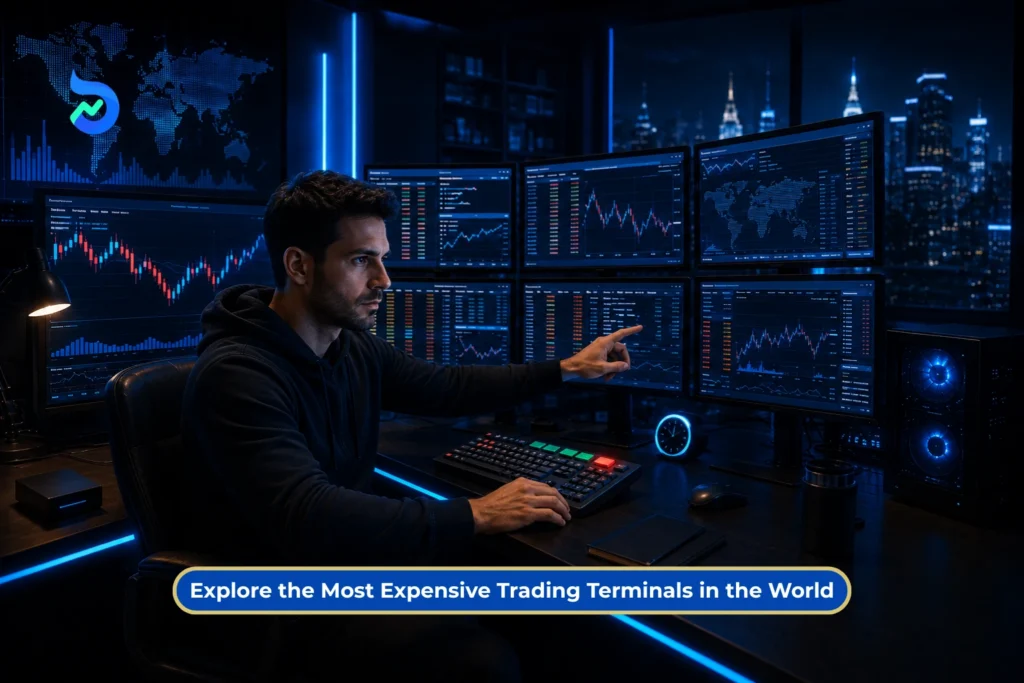
Would you trade better with a Rs. 27 lakh Bloomberg Terminal or eight monitors glowing in front of you?
Picture two traders.
One is sitting on an institutional desk with live prices, breaking news, order flow, analytics and nonstop market chats on one screen. The firm spends nearly Rs. 27 lakh per user every year just to keep that system running.
The other is trading from home with 5 monitors. Charts on 4 screens. News on 1. Watchlists, orders, risk and P&L spread across the rest.
Both setups look powerful. Both look like they belong to traders who know exactly what the market will do next.
But do they?
Hardcore traders love better screens, faster systems and more data. Yet the world’s costliest trading setups are not built just to look impressive. They are designed for speed, information, reliability and access that most retail traders never see.
So, what are professionals really paying for? Does an expensive setup create a real trading edge, or does it simply make losses appear across more screens?
Let’s step inside the world’s most expensive trading setups and find out.
What Is a Trading Terminal?
A trading terminal is the control room from which a trader watches the market, studies price movements, places orders and manages open positions. It may run as a mobile app, website, desktop program or advanced institutional system.
The terminal itself is not the stock exchange. When you place an order, the terminal sends it through your stockbroker to the exchange. The exchange then matches it with a suitable buy or sell order.
In simple terms, the terminal is the screen between the trader and the market.
Main Parts of a Trading Terminal
Most modern trading terminals contain the following tools:
- Market Watch: This is where traders track selected stocks, indices, futures or options. It usually displays the last traded price, price change, trading volume and bid-ask prices.
- Charts and Indicators: Charts show how prices have moved over time. Traders may add indicators, drawing tools, time frames and volume data to study possible market trends.
- Order Window: This is where the action happens. Traders select whether they want to buy or sell, enter the quantity and choose an order type such as market, limit or stop-loss.
- Market Depth: Market depth displays available buy and sell orders at different prices. It helps traders see the bids, offers and quantities currently available in the order book.
- Orders, Positions and Holdings
This section shows:
- Pending and completed orders
- Open intraday or derivative positions
- Profit and loss
- Available margin
- Long-term holdings
- News, Alerts and Scanners
Some terminals also provide market news, price alerts, unusual-volume scanners, research tools and economic-event updates.
- Risk Controls: Risk tools may show margin requirements, available funds, position exposure and potential losses. Professional systems may add pre-trade checks that block orders exceeding defined risk limits.
Suggested Read: How to Start F&O Trading? Unlock the Confidence to Trade Like a Pro
Different Types of Trading Terminals
Not every trader needs the same kind of terminal. The right system depends on how frequently they trade and what information they need.
- Web-Based Trading Terminals: These run inside a browser and do not require separate software installation. They are convenient for investors and traders who want to access their accounts from different computers.
- Mobile Trading Terminals: Mobile apps allow traders to monitor prices, analyse charts and place orders from a smartphone. They offer convenience, although the smaller screen may limit how much information can be viewed at once.
- Desktop Trading Terminals: Desktop software is commonly used by active traders who want faster workflows, advanced charts, keyboard shortcuts and multiple windows open together.
- Institutional Trading Terminals: These systems combine real-time global data, news, analytics, communication and execution tools. Platforms such as Bloomberg are used by banks, fund managers, dealers and other financial professionals who need access to multiple markets and large amounts of specialised information.
- Algorithmic and API-Based Terminals: Instead of manually clicking buy or sell, algorithmic systems send orders based on programmed rules. They may react to price, volume, time or other defined conditions.
- High-Frequency Trading Systems: At the extreme end are high-frequency trading setups. These use powerful servers, direct market-data feeds and infrastructure located close to exchange systems. Their goal is not to display more charts. It is to process information and send orders in fractions of a second.
A retail trader may call an app a trading terminal. A large financial institution may use the same term for a network of data feeds, execution systems, servers and risk tools. That difference explains why one setup may be free, while another can cost crores to build and operate.
Suggested Read: What is Paper Trading: Practice Stock Market Trading for Free Before Using Real Money
The Evolution of Trading Terminals and Setups in India
India’s trading setup has moved from crowded physical floors to fast, fully digital platforms accessible from almost anywhere.
Before the 1990s: Trading on the Floor
For decades, stock trading in India followed the open outcry system. Brokers gathered on physical trading floors, calling out buy and sell orders to one another.
Orders were written and processed manually, making trading slower and more vulnerable to delays, errors and limited price transparency.
1994-1995: Screen-Based Trading Arrives
A major shift took place in 1994 when the National Stock Exchange introduced NEAT, or the National Exchange for Automated Trading.
The system enabled electronic, order-driven trading through computer terminals. BSE followed with BOLT in 1995.
Using satellite-based connectivity, these terminals expanded market access beyond traditional financial centres and connected brokers across Indian cities.
2000s: Trading Moves Online
Internet trading began gaining ground around 2000. Investors no longer had to call their brokers for every order. Web-based platforms allowed them to monitor prices, view portfolios and place trades directly.
2010s: Advanced Retail Trading Platforms
The rise of discount broking accelerated the next phase. Modern desktop and web terminals introduced:
- Real-time charts
- Technical indicators
- Market-depth data
- Advanced order types
- Scanners and alerts
- API and algorithmic trading support
Trading setups also became more elaborate, with active traders adopting faster computers and multiple monitors.
Today: Trading From Anywhere
Mobile apps and cloud-based platforms now dominate retail trading in India. Traders can analyse charts, track positions and place orders within seconds from their smartphones.
What once required, a physical exchange floor and specialised equipment can now be done through a compact digital setup. India’s trading journey shows how technology has made markets faster, more transparent and accessible to a much wider group of investors.
Suggested Read: Why Algo Traders Dominate Indian Expiry Day: The Mechanics, the Data, and What Retail Traders Can Do Differently
The World’s Most Expensive Trading Terminals
Professional terminals are expensive because they provide live global data, news, research and institutional tools in one place.
Bloomberg Terminal
Bloomberg is the most famous professional trading terminal.
Cost in 2026
| Subscription | Annual cost |
| Multi-user plan | Around Rs. 26.8 lakh per user |
| Single terminal | Around Rs. 30.3 lakh |
What does it offer?
- Live data across global markets
- Bloomberg News
- Research and analytics
- Portfolio and risk tools
- Institutional messaging
- Trading and order-management tools
Its biggest advantage is the Instant Bloomberg chat network. Banks, fund managers and bond traders use it to communicate and negotiate deals.
In 2015, a Bloomberg outage even forced the UK to postpone a £3 billion Treasury-bill auction.
Best suited for: Banks, institutional investors, treasury desks and asset managers.
LSEG Workspace
LSEG Workspace is one of Bloomberg’s biggest alternatives.
It provides:
- Live global market data
- Reuters News
- Company financial information
- Charts and research tools
- Portfolio analysis
LSEG does not publish fixed pricing. The final cost depends on the markets, data and features selected.
Best suited for: Equity analysts, research firms and institutional traders.
FactSet
FactSet is mainly used for company research and portfolio analysis.
It offers:
- Financial statements
- Earnings estimates
- Stock screening
- Portfolio analytics
- Risk analysis
- Excel integrations
Pricing is customised based on the data and tools selected.
Best suited for: Equity research teams, fund managers and portfolio analysts.
S&P Capital IQ Pro
Capital IQ Pro is useful for researching companies, deals and private markets.
It provides:
- Public and private company data
- M&A transaction information
- Ownership details
- Credit and financial data
- Screening and valuation tools
Its pricing is also customised.
Best suited for: Investment bankers, private equity firms, M&A advisors and credit analysts.
Quick Comparison
| Platform | Mainly used for |
| Bloomberg | Trading, market data and institutional communication |
| LSEG Workspace | Market data, Reuters News and research |
| FactSet | Equity research and portfolio analysis |
| Capital IQ Pro | Company research, private markets and M&A |
These platforms are not expensive because they show better charts. Firms pay for specialised data, faster research and access to tools that support professional financial decisions.
Most-Used Trading Terminals in India
Most Indian retail traders do not need a Rs. 27 lakh professional terminal. Their setup usually combines:
- A broker’s trading platform for placing orders
- TradingView for charts
- Sensibull or Opstra for options analysis
- The NSE website for official market data
Each tool serves a different purpose.
Broker Trading Platforms: Where Orders Are Placed
A broker’s mobile app, website or desktop platform is the main trading terminal for most Indian traders.
It generally includes:
- Watchlists
- Live prices and charts
- Buy and sell orders
- Market depth
- Open positions and holdings
- Funds and margin details
- Profit and loss tracking
For many investors and occasional traders, this single platform is enough.
TradingView: Popular for Charts
TradingView is mainly used for technical analysis and charting. Traders can study different time frames, add indicators, create alerts and build custom tools using Pine Script.
TradingView annual pricing
| Plan | Approximate annual cost |
| Essential | Rs. 14,700 |
| Plus | Rs. 34,000 |
| Premium | Rs. 68,100 |
| Ultimate | Rs. 2.27 lakh |
A free plan is also available. These amounts are based on annual USD pricing converted at the June 24, 2026 USD-INR rate and do not include taxes or additional market-data charges.
TradingView offers:
- Advanced charts
- Technical indicators
- Price and technical alerts
- Multiple-chart layouts
- Backtesting tools
- Pine Script customisation
- Desktop and mobile access
TradingView is useful for studying price movements, but serious options traders may need another platform for deeper option-chain and volatility analysis.
Sensibull: Built for Indian Options Traders
Sensibull focuses on Indian futures and options.
Its main tools include:
- Options strategy builder
- Payoff charts
- Option Greeks
- Advanced option chain
- Open interest charts
- Implied volatility data
- FII and DII data
- Options screeners
Sensibull offers a free plan. Depending on the broker and subscription period, its Pro plan may be free or cost approximately Rs. 640 to Rs. 800 per month.
Best suited for: Traders who want to build and understand multi-leg options strategies without doing every calculation manually.
Opstra: For Detailed F&O Analysis
Opstra is another options-focused analytics and trading platform. It is generally used by traders who want more detailed tools for studying strategies, volatility and historical performance.
It offers:
- Options strategy builder
- Options backtesting
- Options simulator
- Volatility surface
- Futures dashboard
- Option chain
- Paper portfolios
- Open interest analysis
Opstra provides both free and Pro features. It also allows users to analyse and trade in the F&O, currency and commodity segments.
Best suited for: Experienced options traders who want deeper backtesting and volatility analysis.
NSE Website: Free Official Market Information
The NSE website is not a trading terminal because traders cannot use it to place regular brokerage orders. However, it provides useful official data for free, including:
- Equity and index option chains
- Open interest data
- India VIX information
- FII and DII activity
- Market turnover
- Derivatives reports
The NSE option-chain page covers index and stock derivatives and also allows users to download data in CSV format.
However, free access on the NSE website does not mean that commercial platforms can freely redistribute all exchange data. NSE sells licensed real-time feeds at different levels, including best bid and ask, five-level depth, 20-level depth and tick-by-tick data.
The Cost Difference
| Platform | Approximate annual cost |
| Bloomberg Terminal | Rs. 26.8 lakh |
| TradingView Premium | Rs. 68,100 |
| Sensibull Pro | Up to Rs. 9,600 |
| NSE website | Free access |
A Bloomberg Terminal costs roughly 40 times more than TradingView Premium and around 280 times more than an Rs. 800-per-month options platform. Bloomberg’s multi-terminal rate is reportedly $28,320 per user annually.
But they are built for different users.
Bloomberg serves global banks, fund managers and institutional desks. Indian retail platforms focus on order placement, charts and NSE-specific analysis.
For most Indian traders, the best terminal is not the costliest one. It is the one that gives them the information and tools their trading style actually requires.
Does a More Expensive Terminal Make You a Better Trader?
Not necessarily.
SEBI found that ~93% of individual equity F&O traders lost money between FY22 and FY24. Their combined losses crossed Rs. 1.8 lakh crore.
Most of them already had working trading platforms with live prices, charts, option chains and order tools. The terminal was not the main problem.
Retail traders usually lose money because of poor decisions, such as:
- Trading without a clear plan
- Taking oversized positions
- Ignoring volatility and option decay
- Buying options only because they look cheap
- Increasing risk after a loss
- Exiting based on fear or greed
A costly terminal cannot fix these mistakes.
A terminal can give you faster data, better charts and advanced analytics. But it cannot decide when to trade, how much to risk or when to stop.
The best terminal is therefore not the most expensive one. It is the one that provides the information your strategy needs without making trading more complicated.
For most Indian retail traders, a broker platform, reliable charts and an options analytics tool may be enough. For an institutional bond trader managing a large portfolio, Bloomberg may be essential because its data and communication network are built for that market.
Better tools can support better trading. They cannot replace trading skills.
Bottom Line
The most expensive trading setup in the room is not always the most useful one.
A Bloomberg Terminal, an institutional data desk and an eight-monitor home rig are built for different jobs. One gives professionals access to global markets, company data, research and counterparties. Another helps active traders organise charts, orders and risk. But neither can create discipline, improve judgment or stop a bad trade from becoming worse.
A trader focused on fundamental analysis may benefit more from Bloomberg’s deep financial data and research tools, while a technical trader may gain an edge from multiple screens that make it easier to track charts, indicators, orders and market movements simultaneously.
For Indian retail traders, the smarter question is not, “How much does this terminal cost?” It is, “What problem does this tool solve for me?”
A reliable broker platform, clean charts, relevant options data and a stable internet connection may be enough. Extra monitors, faster hardware and paid analytics only make sense when they clearly improve your process.
The screen does not know your risk limit. The terminal does not know when you are revenge trading. The software cannot force you to follow your plan.
So build a setup that supports your strategy, not your ego. In trading, the real edge is rarely sitting on the desk. It is sitting in the decisions you make.
Disclaimer: Investments in securities markets are subject to market risks. Please read all scheme-related documents carefully before investing. Past performance is not indicative of future results. This article is for educational purposes only and does not constitute investment advice.
FAQs
Which terminal is best for trading?
The best terminal depends on your trading style. Long-term investors may only need a reliable broker app. Active traders may prefer advanced charts and faster order tools, while options traders may use platforms such as Sensibull or Opstra. Choose a terminal that provides the data you need without making trading unnecessarily complicated.
Can anybody buy a Bloomberg Terminal?
Yes, individuals and companies can subscribe to a Bloomberg Terminal, subject to Bloomberg’s commercial terms and onboarding process. However, it is mainly designed for banks, fund managers, treasury teams and institutional professionals. For most retail traders, the high annual cost and specialised global tools make it unnecessary.
What is the cost of a Bloomberg Terminal in India?
A Bloomberg Terminal costs approximately Rs. 26.8 lakh per user annually under a multi-user subscription. A single-terminal subscription costs around Rs. 30.3 lakh per year. The exact amount may change with exchange rates, taxes and contract terms. This is an annual subscription for data, analytics and communication tools, not the price of a computer.
Which is the best trading terminal in India?
There is no single best terminal for every Indian trader. A good broker platform is sufficient for order placement and portfolio tracking. TradingView is popular for charts, while Sensibull and Opstra focus on options analytics. The best choice is the platform that matches your strategy, experience level and data requirements.